
Writing postcards
A postcard with message and address that goes through the post without trouble.
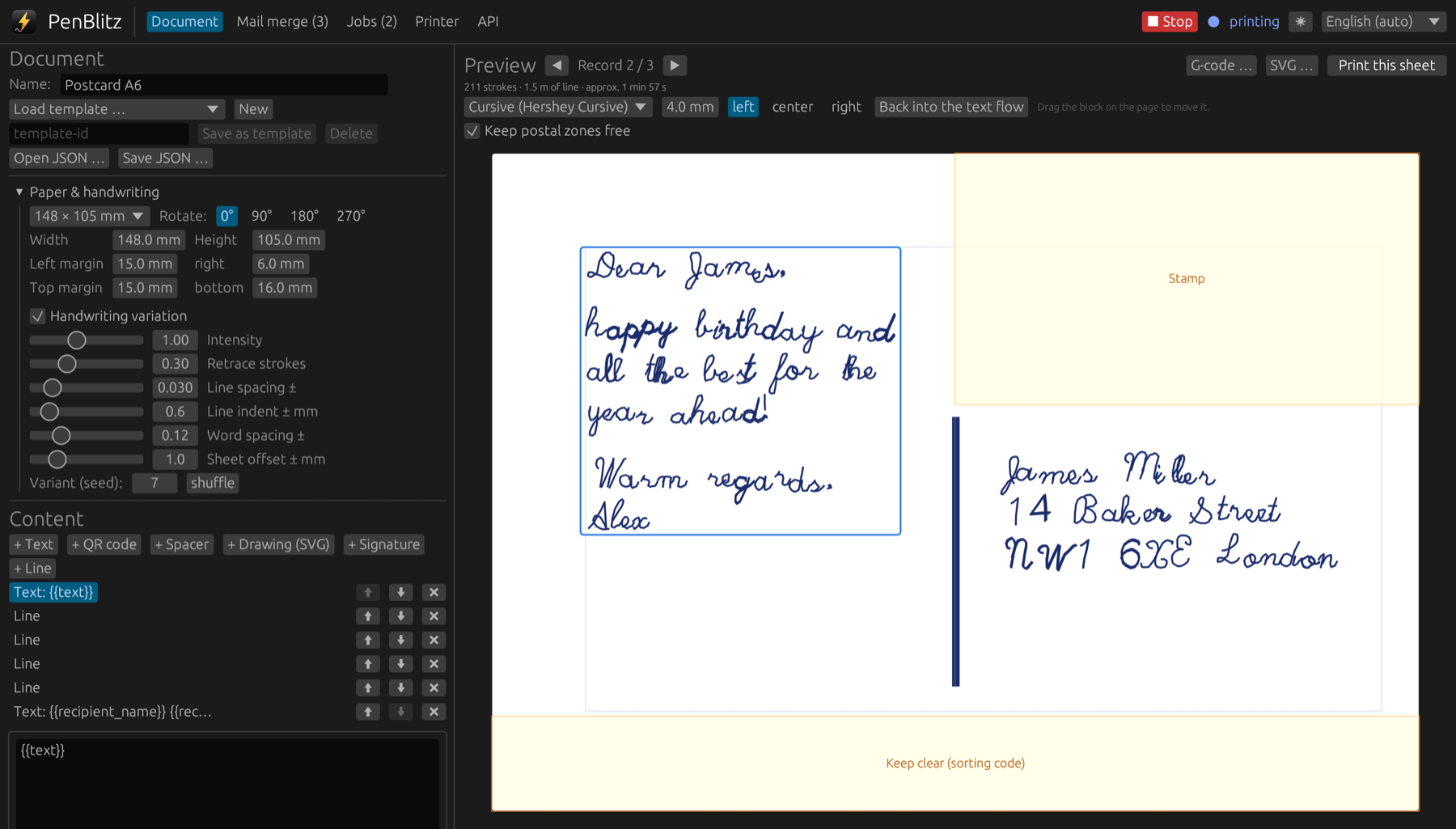
Use the template
- In the “Document” tab, load the template “Postcard A6”.
- Your list needs the columns text, recipient_name, recipient_street, recipient_postal_code and recipient_city.
- Load A6 card in landscape and print.
The coloured areas in the preview
The preview marks what the post office needs free: the stamp area at the top right and the strip at the bottom for the sorting code. If your message is too long, PenBlitz writes it smaller; if it still does not fit, you get a warning.
Handwritten or printed address
The address is written in handwriting like the message. Sorting machines read printed letters more reliably; if you prefer that, choose the “Print” font for the address block.
For cards that are not posted, switch off “Keep postal zones free” above the preview and use the whole card.