
Set up AI assistants
Connect Claude Code, Codex, Claude Desktop or Cursor in a minute.
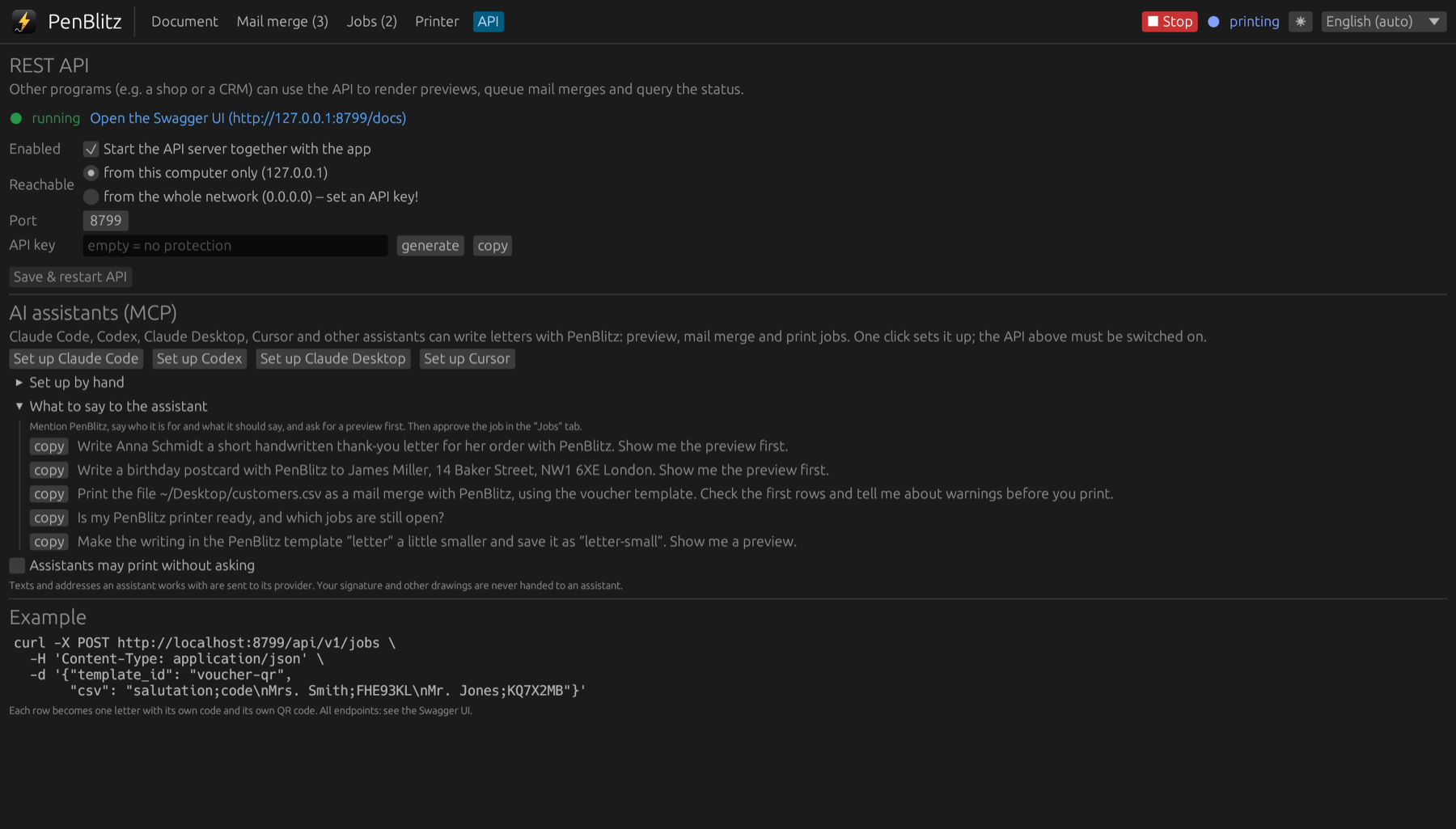
Connect
- In PenBlitz, open the “API” tab and make sure the API is switched on.
- Under “AI assistants”, click the button for your program.
- Restart the assistant or start a new session.
What to say
- “Write Anna Schmidt a short handwritten thank-you letter for her order with PenBlitz. Show me the preview first.”
- “Print the file customers.csv as a mail merge with PenBlitz, using the voucher template. Tell me about warnings before you print.”
- “Is my PenBlitz printer ready, and which jobs are still open?”
Approving a print
A job from an assistant appears in the “Jobs” tab with the note “approval needed”. Check the preview, then click “Approve & print”, or open it in the editor first. If you trust the results, you can allow direct printing in the “API” tab.
Texts and addresses an assistant works with are sent to the provider of that assistant. Your signature never is.