First print and calibration
Make sure the pen writes exactly where the preview shows it.
Print the calibration page
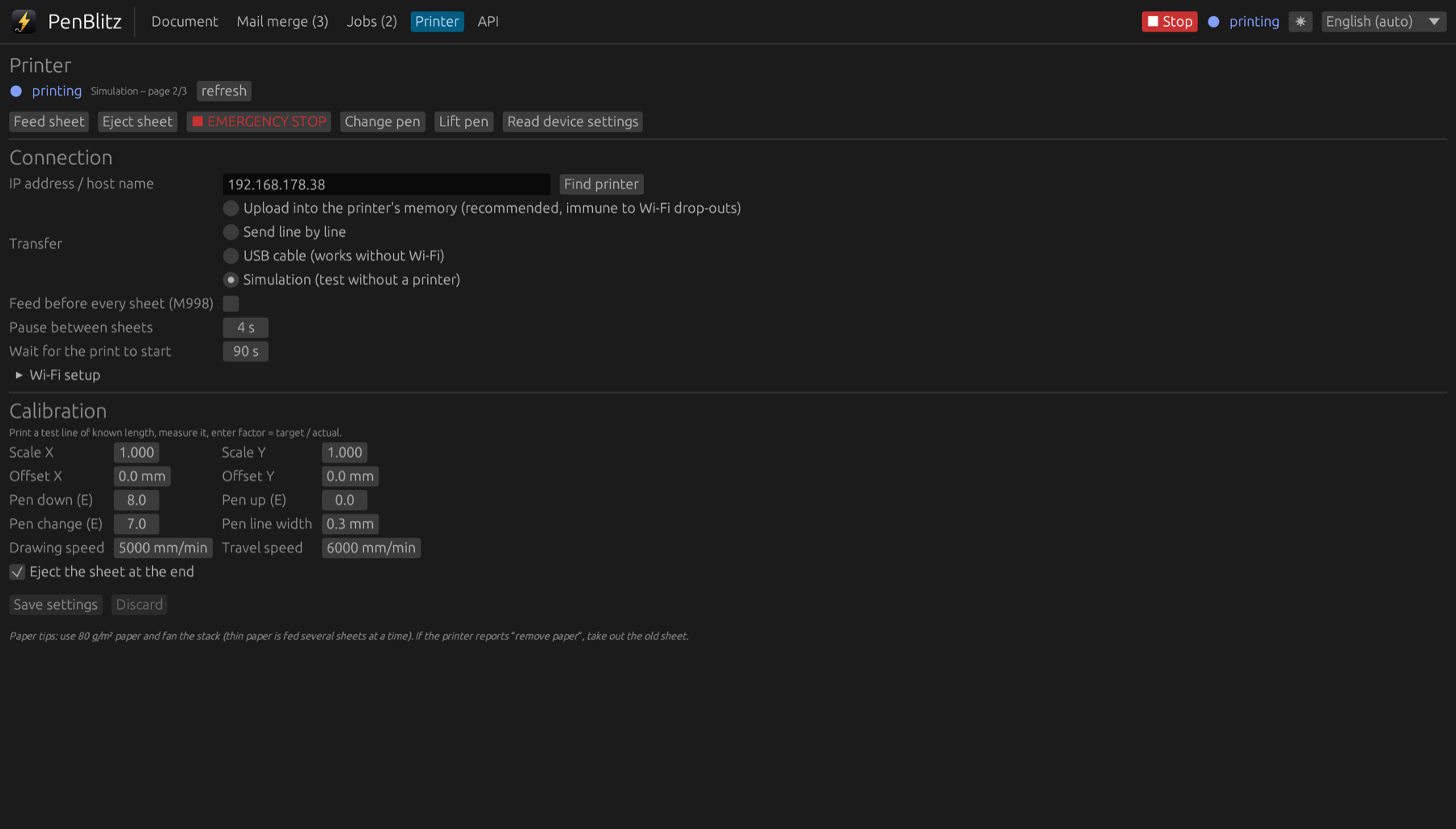
- In the “Document” tab, load the template “Calibration page”.
- Print it on A4 paper.
- Measure the two long lines. Each should be 100 mm long, starting 30 mm from the left and 40 mm from the top edge.
Enter the result
- Lines too long or too short: enter target ÷ actual as scale, for example 100 ÷ 102.5 = 0.976.
- Everything shifted: enter the difference as offset in millimetres.
- Save the settings and print the page again to check.
Set the pen line width
Draw a line and measure how wide it is, or use the value on the pen. Enter it as “Pen line width”. QR codes are then drawn to fit the pen, and the preview shows the real thickness.