
Mail merge with your data
From a spreadsheet to a batch of personal letters.
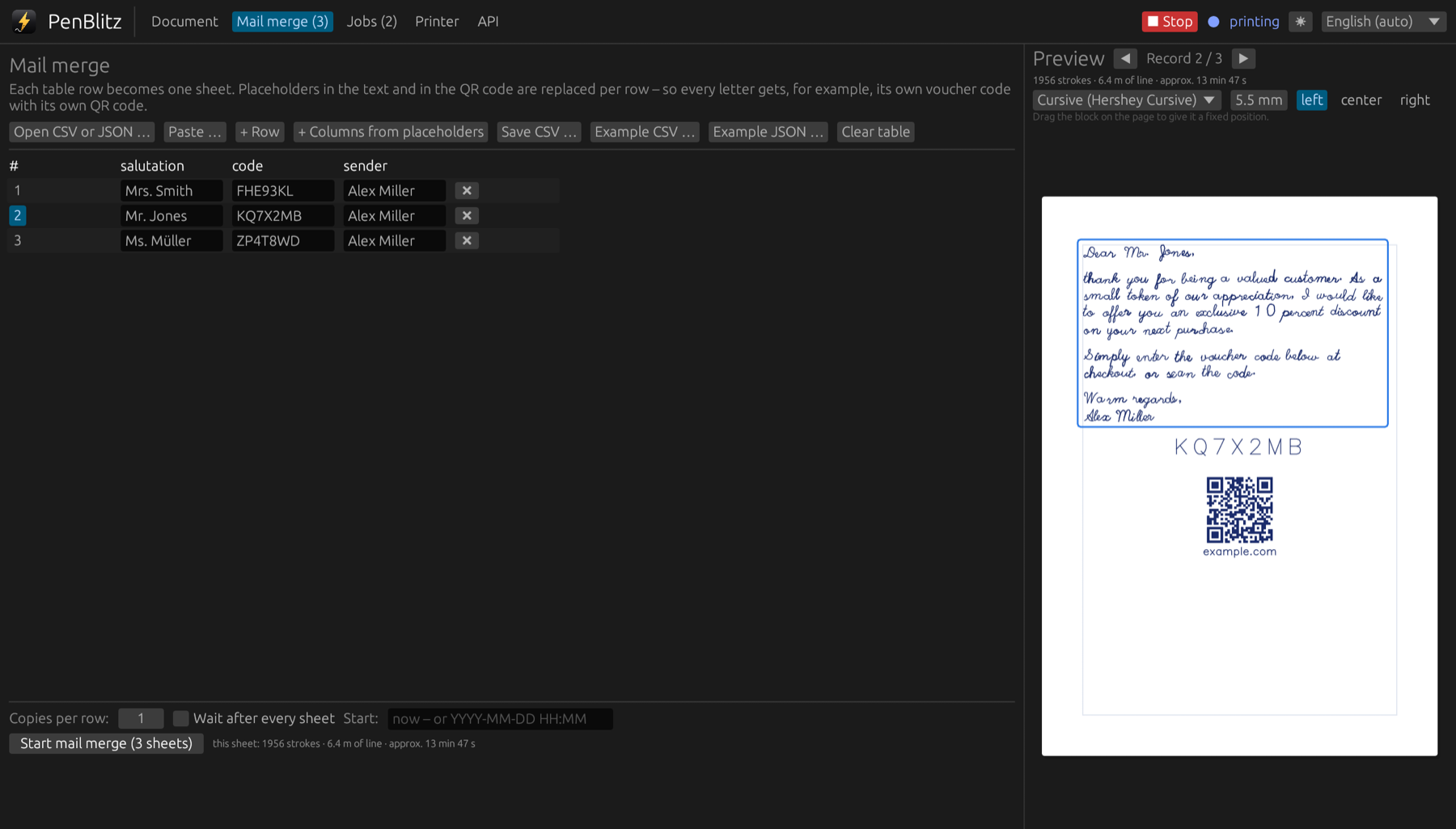
Prepare the list
You need one row per recipient and one column per piece of information, with the column names in the first row. Save it as CSV, or export JSON from your shop.
Not sure about the format? In the “Mail merge” tab, “Example CSV” and “Example JSON” save a sample file with exactly the columns your current letter uses.
Run the merge
- Write your letter in the “Document” tab and put placeholders such as {{first_name}} where the personal parts go.
- In the “Mail merge” tab, click “Open CSV or JSON” or paste the cells from your spreadsheet.
- Check the hints above the table: placeholders without a column or rows with empty values are listed there.
- Step through the records with the arrows above the preview.
- Click “Start mail merge”.
Good to know
- Column names are matched without regard to upper and lower case.
- Numbers and yes/no values in JSON are written as text.
- Nested JSON values become columns such as address.city.