Printer connection
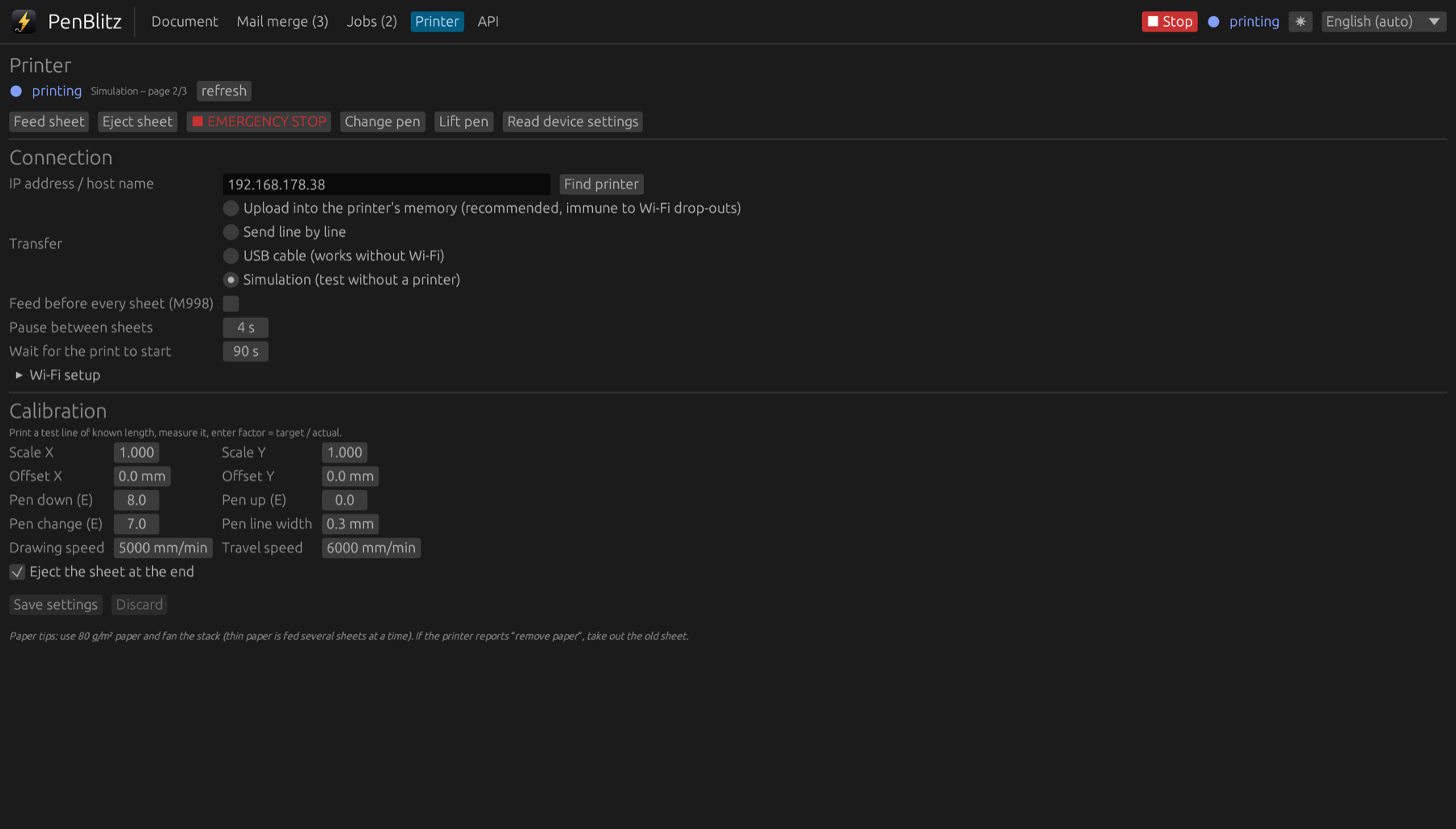
Over Wi-Fi or by cable. PenBlitz finds the machine, loads each sheet into its memory and prints reliably.
Wi-Fi, robust against drop-outs
Each sheet is uploaded to the machine’s own memory and printed from there. A weak Wi-Fi signal during a long page does not ruin the sheet.
USB when there is no network
Connect the machine with a USB cable and PenBlitz sends the page line by line. No Wi-Fi setup needed.
Found and set up from the app
- Search the network for the machine when its address has changed.
- Tell the machine which Wi-Fi network to join.
- Feed and eject paper, lift the pen and move it to the pen-change position.
Calibration
Print the calibration page, measure two lines and enter the result. Scale and offset are corrected for every print from then on. Set the line width of your pen so that QR codes and the preview match it.
Coming soon to the Mac App Store
Requires macOS 11 or later and a UUNA TEK / Kvenjoy writing machine with K_AT firmware.